876Social: How to compose a blog
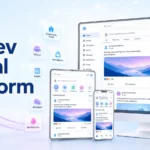
Welcome to 876Social! The SCDev Composer is our premier publishing suite crafted specifically to empower creators, writers, and community leaders to produce visually stunning, engaging, and social-ready blog posts. Whether you are publishing a comprehensive technical walkthrough, a lifestyle journal, or breaking community news, the Composer editor gives you all the tools you need.
🎨 What is the SCDev Composer?
The SCDev Composer is a lightweight, responsive publishing engine that blends the power of modern rich-text formatting with real-time community engagement. Designed from the ground up to integrate seamlessly with the 876Social ecosystem, it connects your thoughts directly to the Composer Hub, homepage sliders, and sidebar carousels.
🚀 Key Features of the Composer Editor
1. Dynamic Rich-Text & Block Typography
Create clean, readable typography with hierarchical headings (H1 through H6), formatted lists, emphasized quotes, code snippets, and inline callouts. The editor ensures perfect line heights and contrast across both standard and dark/night modes.
2. Seamless Media & Image Handling
Visuals make stories come alive. With the Composer editor, you can:
- Upload High-Resolution Featured Images: Set cover images that automatically adapt for desktop banners, mobile headers, and compact sidebar sliders.
- Inline Images & Galleries: Embed multiple visual assets directly inside your post body.
- Responsive Scaling: Images are optimized on the fly for fast loading times across mobile and desktop.
3. Organized Categorization
Tag your posts with official 876Social categories such as Guides, Technology, Community, Business, Lifestyle, Travel, Events, and News. This allows readers to filter and discover your content effortlessly.
4. Sticky Hub Banners & Featured Sliders
Authors and administrators can mark standout posts as Sticky to feature them prominently at the top of the Composer Hub banner slider, capturing maximum visibility.
5. Interactive Social Reactions & Comments
Blogging on 876Social is a conversation:
- Live Reactions: Readers can react instantly with Like, Love, Haha, Wow, Sad, and Star ratings.
- Threaded Comments: Engage with readers in real-time threaded discussions.
- Social Sharing: One-click sharing buttons allow readers to spread your articles across external networks, Groups, and Pages.
6. Author Bio & Reading Time
Every blog post proudly features the author’s avatar, display name, publication timestamp (“10 mins ago”), and estimated reading duration so readers know what to expect.
📝 Step-by-Step: How to Compose Your First Blog Post
- Navigate to the Composer Hub: Head to the Composer Hub from the top navigation or sidebar menu.
- Click “Create Blog”: Launch the post creator modal or editor screen.
- Write an Engaging Title: Keep it punchy, descriptive, and relevant.
- Select Your Category: Pick the primary category (e.g. Community or Guides).
- Add a Featured Image: Select a crisp photo or banner to represent your story.
- Write Your Content: Use paragraphs, bullet points, and subheadings to structure your article for easy readability.
- Publish & Share: Hit publish to instantly broadcast your story to the 876Social feed, Composer Hub, and sidebar carousels!
Add thoughtful headings and short 2-3 sentence paragraphs to keep readers engaged on mobile devices. Don’t forget to interact with comments left on your post!
🎉 Start Writing Today!
The stage is yours. Share your knowledge, spark community discussions, and build your audience with the SCDev Composer on 876Social.